Dialogue Block
The Dialogue Block allows us to display a text message and control its behaviour (how much should we wait after the text finished and if we should await input after that).
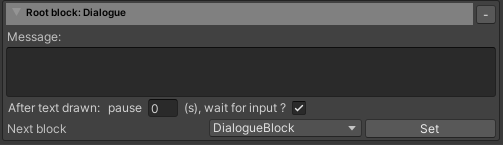
| Message | It determines the message to be displayed. This field supports rich text. There are also some codes that get automatically formatted into values, for example:
|
| Pause | It determines for how many seconds the game will wait after the text has finished displaying. |
| Wait for input | It determines if the game should wait for input after the pause seconds elapsed. |